Lean Coffee™ for remote teams

The best retrospective is the one nobody plans

Everyone brings the topics. The room votes on what actually matters. You talk until the timer runs out, then decide together whether it deserves more. No agenda to write on Sunday night, and nothing forgotten by Friday.

Start a board

Free to start. No card, no trial clock.

Your team joins with a link. No accounts, no installs, no "can everyone see my screen?"

  1. 1

    Everyone writes

    Topics go up on a shared board, in columns you choose. The quiet people get a say before the loud ones start.

  2. 2

    The room votes

    A few votes each, spent across the whole board. What rises to the top is what the team wants to spend the time on, not what an authority decides.

  3. 3

    You talk, then decide

    One topic, one time box. When it rings, thumbs decide: keep going, or move on. Anything you agree to do gets followed up at the next retro.

Trusted by teams across the world

Teams
250+
Boards
7000+
Topics
80000+

Used by teams at

RxRevu
Synthesis School, Inc
RxRevu
Synthesis School, Inc

Get the most out of your retrospectives

Run focused and fun remote meetings and retrospectives based on the flexible Lean Coffeeâ„¢ format.

Focus on what's most important

Source ideas and points of discussion from the group. Decide on the most important topics. Discuss them from most important to least. Spend your time on what's important now.

  • Source topics from the crowd

    Allow participants to bring their own topics and bubble up important information.

  • Deep discussion

    Promote deep and engaging discussions by focusing on what's most important. Participants vote on the topics most important to them, so the best thing to discuss is always clear.

  • Flexible themes with guardrails

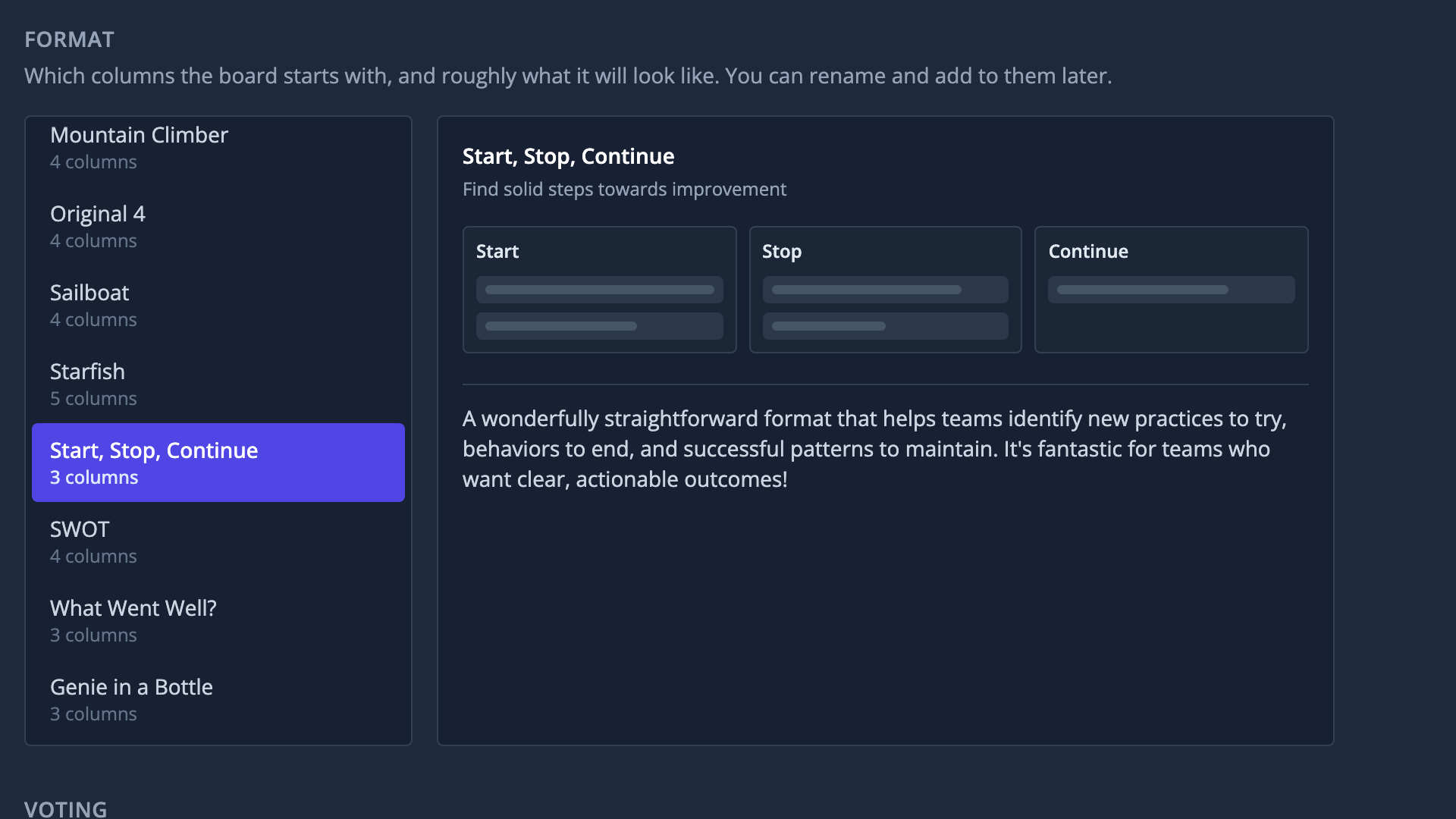
    Pick from 11+ retrospective templates, tweak on the fly, or start from scratch and create your own.

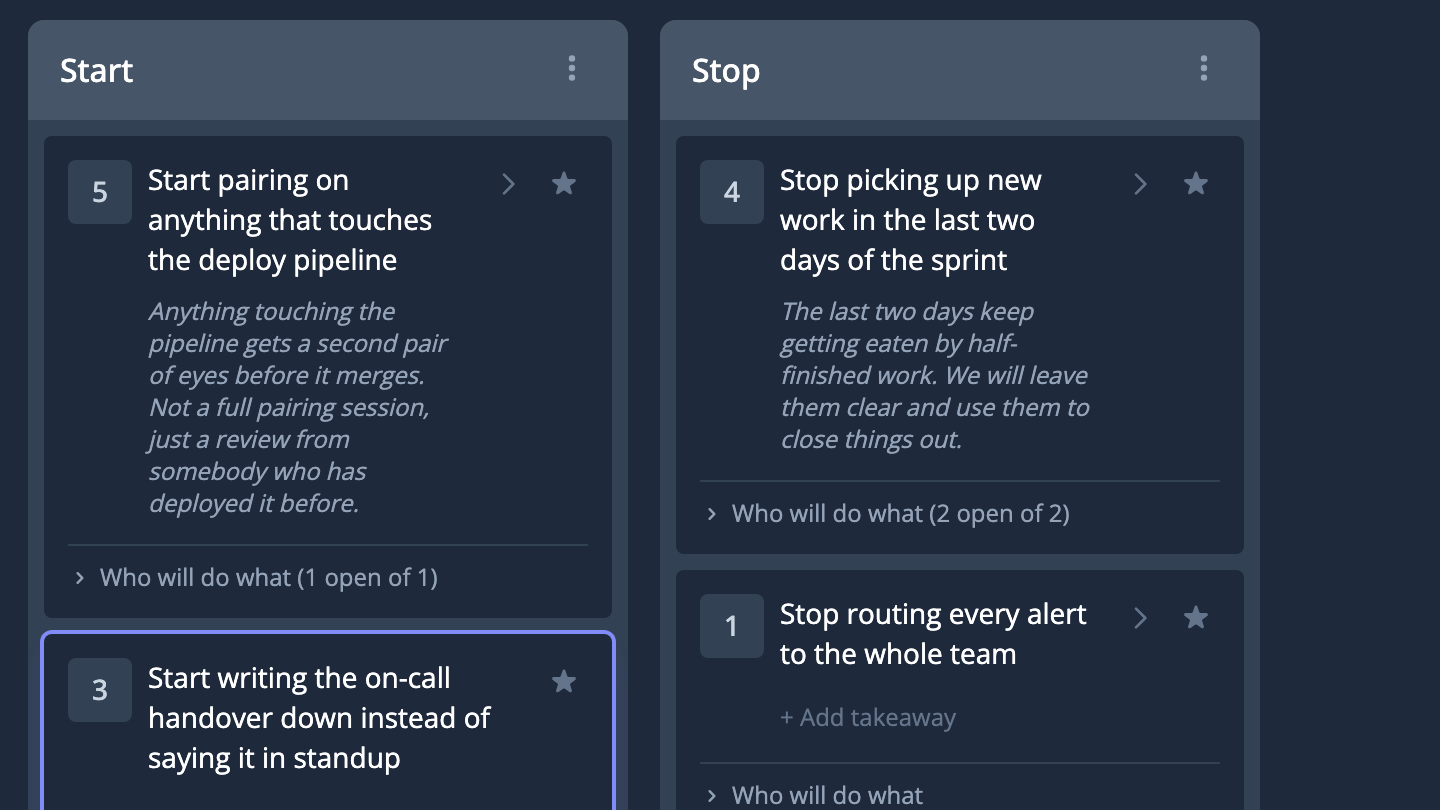
Two columns of a retro board, each topic showing the votes it got and what the room agreed Choosing the format a board starts with, showing the columns it will have

Easily guide the conversation

Run engaging and focused meetings smoothly with your team remotely or in-person

  • Direct flow with phases

    Make it easy to participate by using phases to brainstorm on data and ideas, to prioritize topics with voting, and to focus the group around profound discussions.

  • Batteries-included

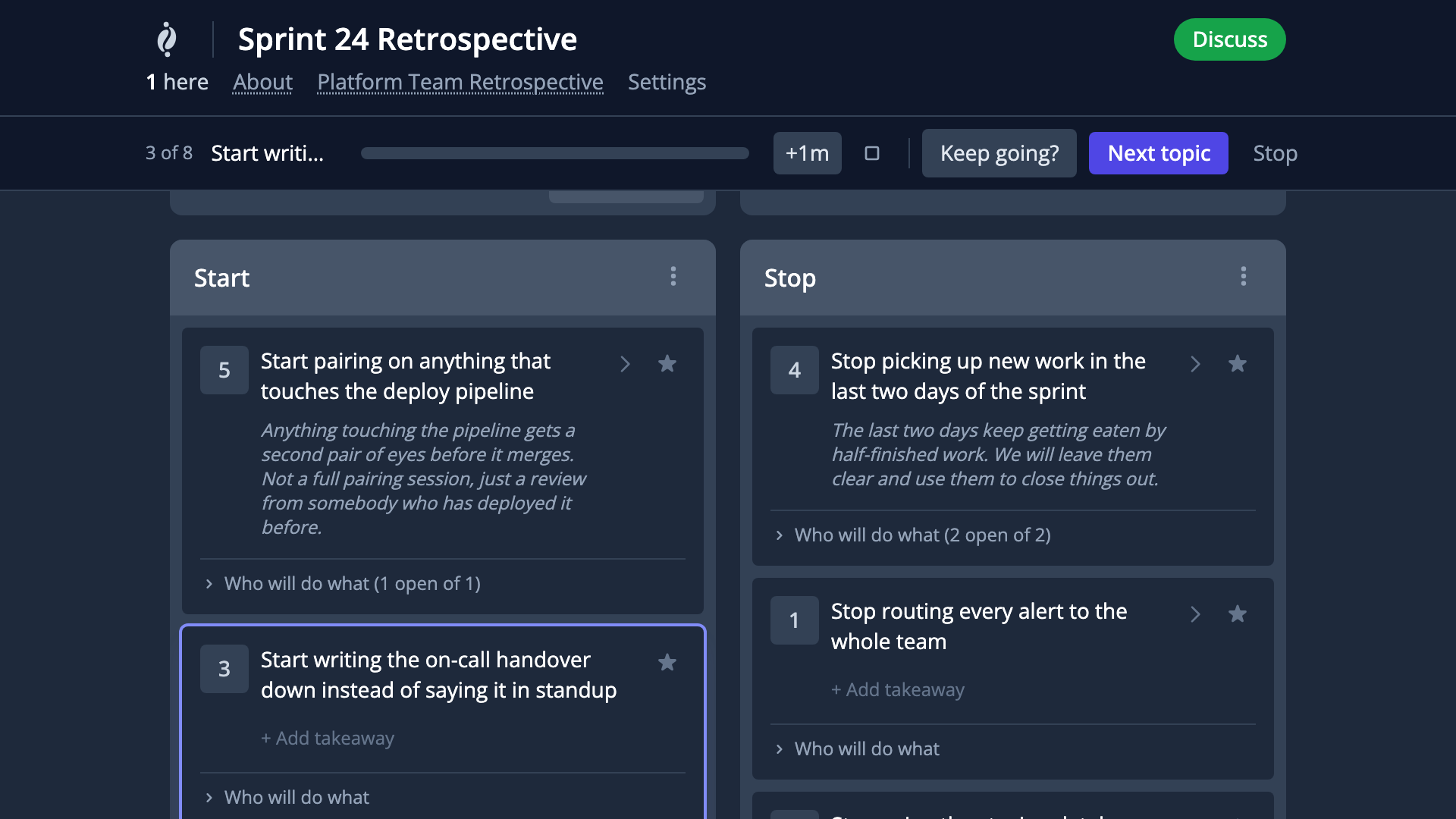
    Keep the meeting flowing with a built-in stress-free timer. Call for quick decisions -- like to continue discussing topic or move on. Highlight topics under active discussion. Run Surveys during retrospectives and discussions.

  • Expand with Takeaways and Actions

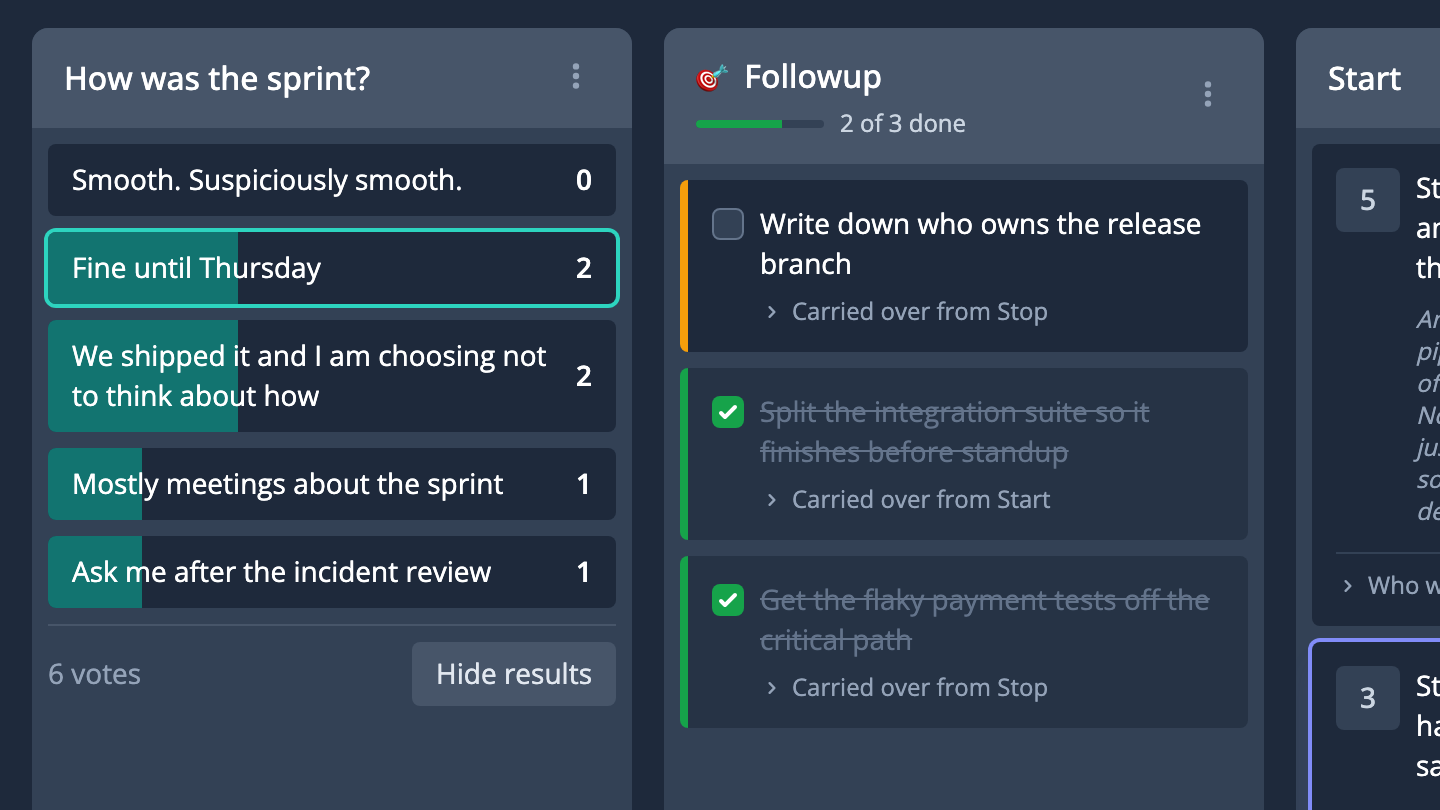
    Jot down notes on topics with Takeaways. Create followups with Actions and track them into the next retrospective.

  • Merge or move

    Combine topics or move topics between themes with drag and drop.

The facilitator's bar: which topic the room is on, the clock, and the choice between keeping going and moving on A revealed survey, with the room's answers counted, beside the actions carried over from last time

Get in the flow

Turn your discussions into actions and help your team grow week after week

  • Keep in touch with regularly occurring Series

    Easily group and navigate repeating meetings. Never forget what happened last time. Never update another calendar invite with a new board.

  • Always on time

    Share a link to the Latest board in a Series. Make it easy to be in the right place at the right time.

  • Don't drop the ball

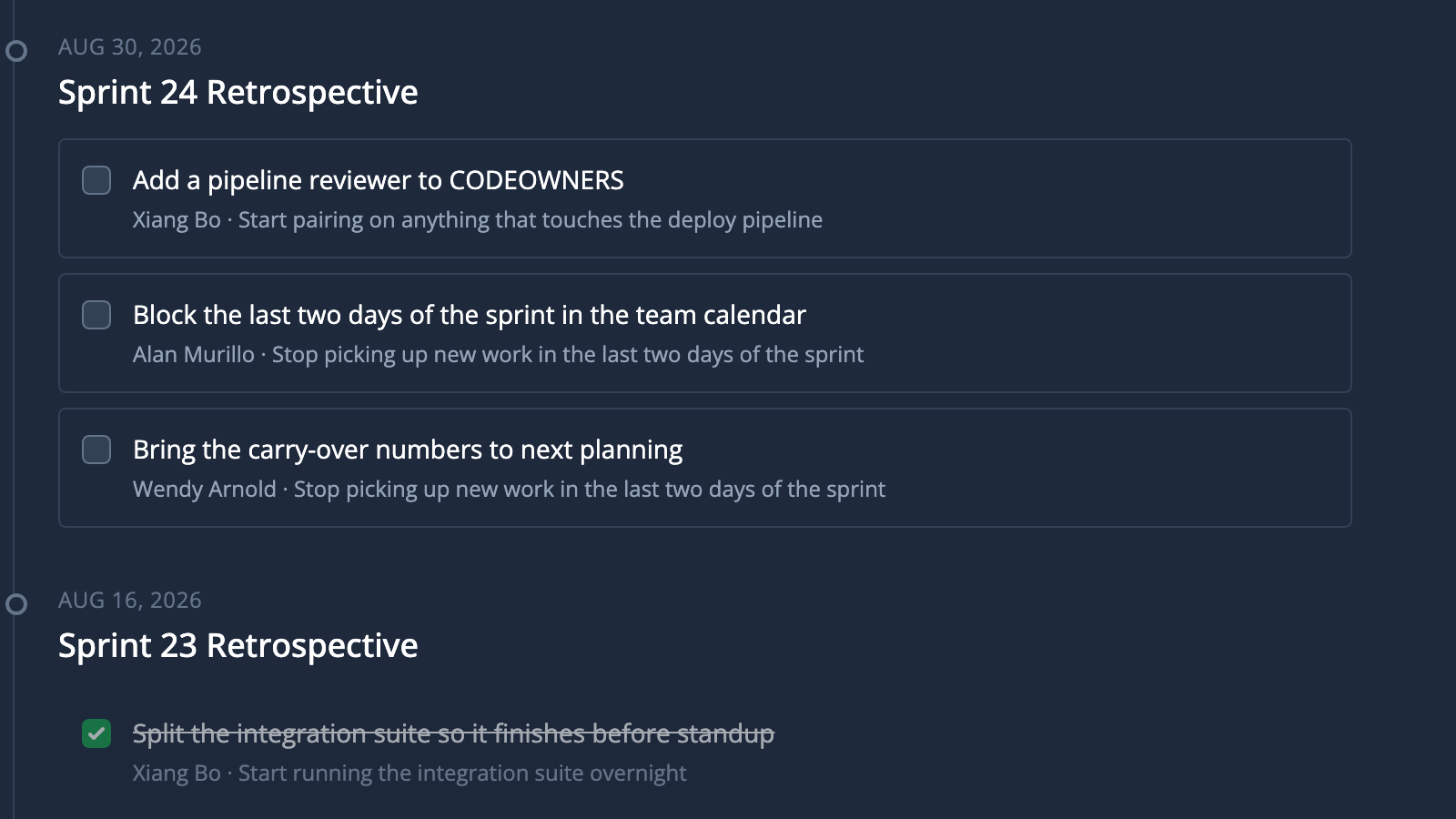
    Bring previous Actions forward to recap and followup in future retrospectives. Don't let what's important slip through the cracks - check off Actions as team members complete them.

A repeating retro as a timeline, with the actions agreed at each one and who owns them

Cultivate your team without the bitterness

Don't let your relationships grow cold with in-sync one on ones and 9-box diagrams.

Build rapport with One-on-Ones

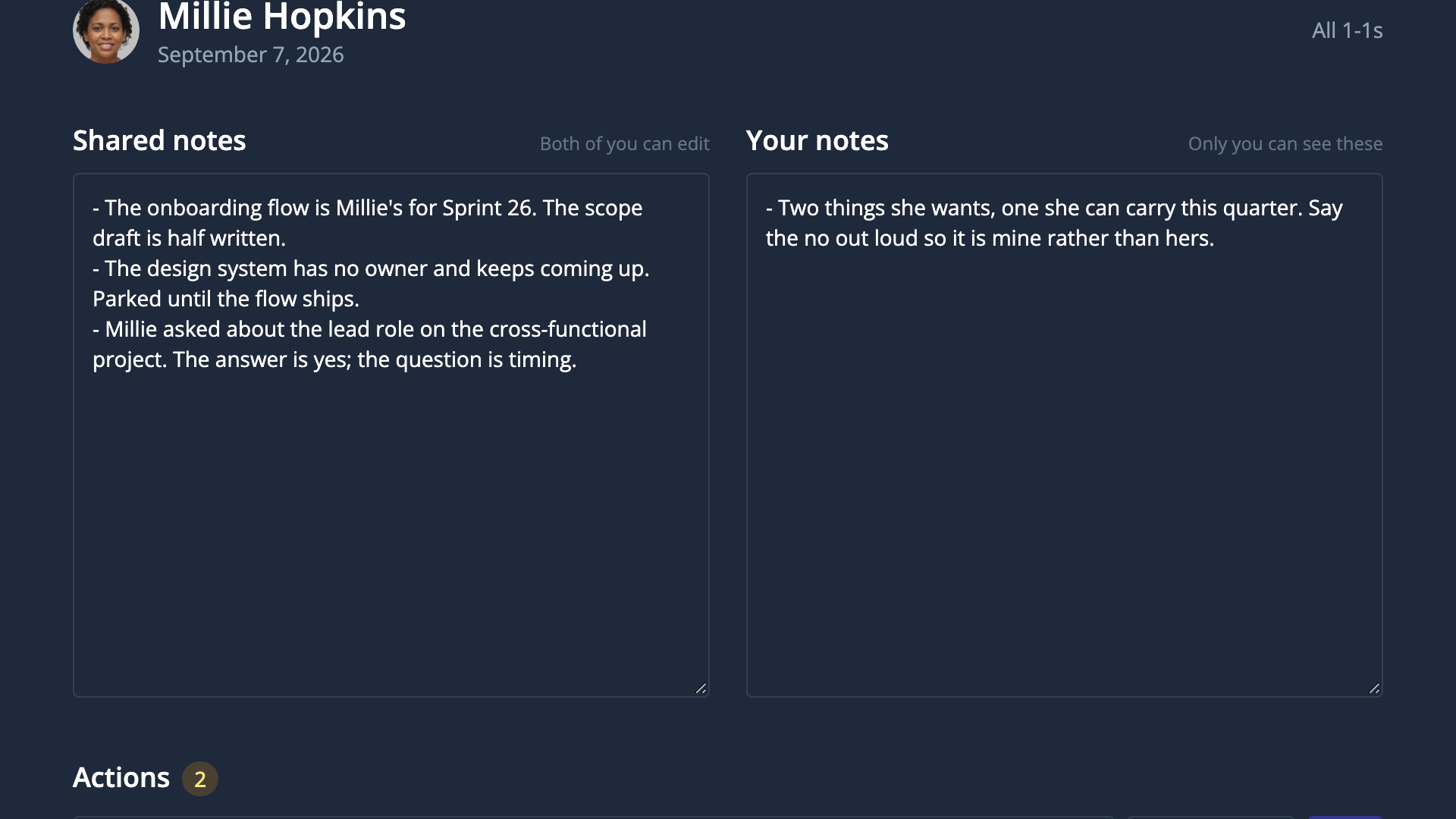
Hold collaborative 1:1s with team members with live, collaborative notes and private notes

  • Sync up

    Share notes together in real-time. Be on the same page.

  • Remember what's important

    Keep private notes separately. Never forget the details.

A one-on-one session: notes you both write in, and a private column only you can see

Ground your insights with 9-Boxes

Collaboratively and visually build comparisons to make informed decisions

  • Smart scales and box colors

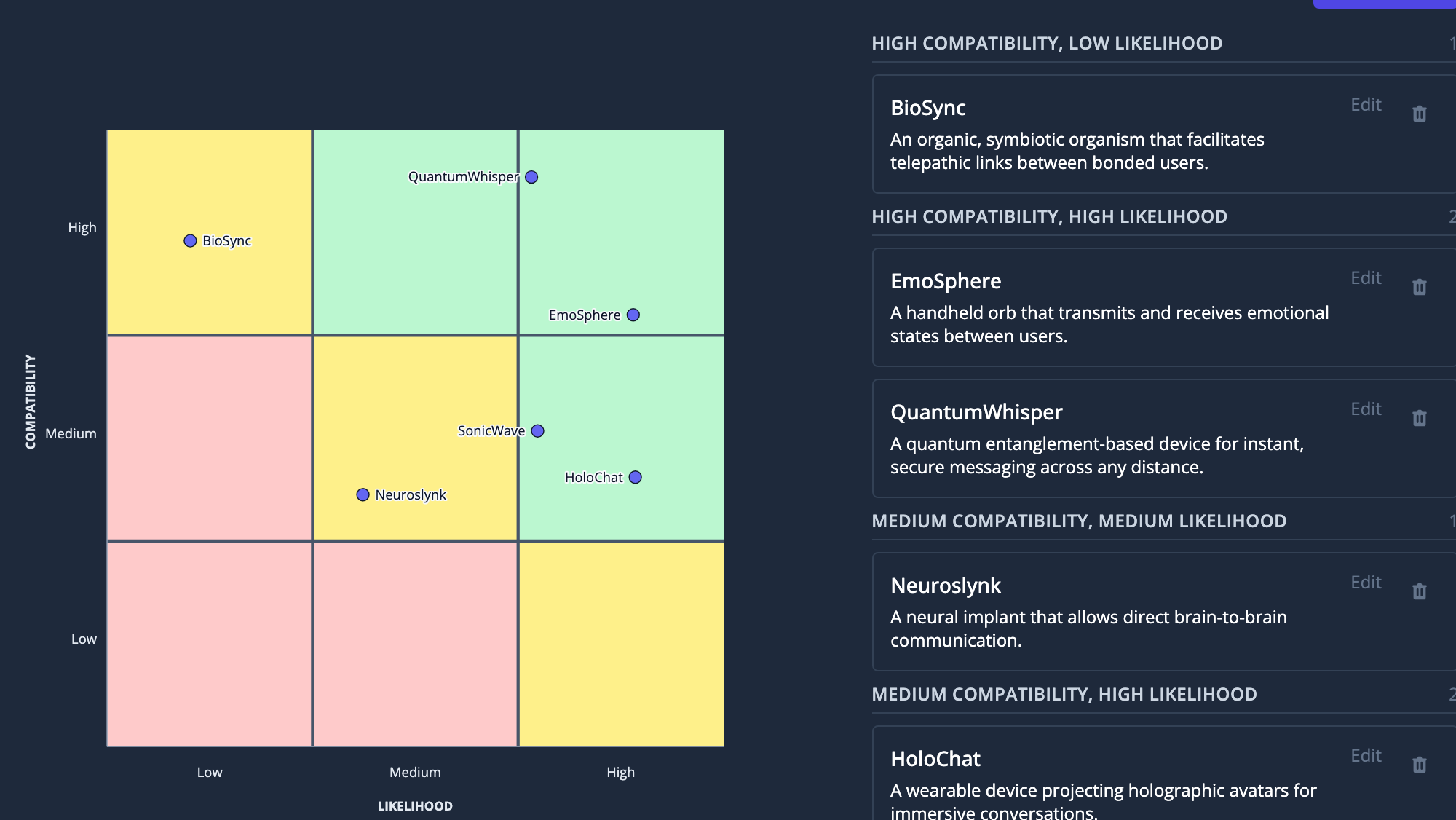
    Make a 9-box that makes sense. Box colors dynamically adjust

  • Real-time collaboration

    Invite your team to contribute with real-time drag and drop

  • Discussion notes

    Add context and capture key talking points directly in each point to keep your conversations focused and productive.

A 9-Box with named axes and six points plotted across its nine cells

Your next retro is on Thursday

Set the board up in about two minutes, drop the link in the channel, and let people add topics before anybody joins the call.

Set up your first board

Free to start. No card, no trial clock.